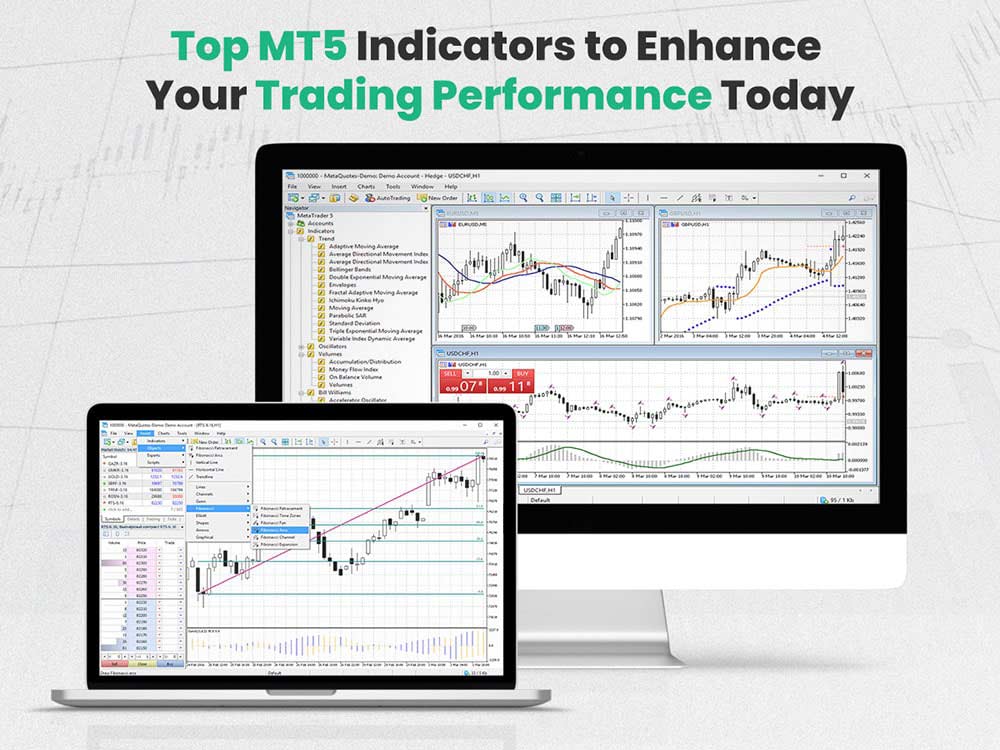
Top MT5 Indicators to Enhance Your Trading Performance Today
Trading with MT5 offers power and flexibility. But the platform really proves its worth when you use the right tool. MT5 Indicators help you make better decisions by giving clear signals, showing trends, and revealing hidden patterns, avoid bad trades, and spot strong setups before they take off—like breakouts forming at key levels, or reversals that haven’t gained steam yet.
Let’s look at the top MT5 indicators that can sharpen your edge in the market. And if you're looking for a solid place to apply these MT5 indicators, check out Dominion Options. It’s a trader-focused broker that supports MetaTrader 5, offering smooth execution, tight spreads, and real-time data. Whether you’re testing MT5 indicators or trading live, it’s a platform worth considering.
1. Commodity Channel Index (CCI) Arrows
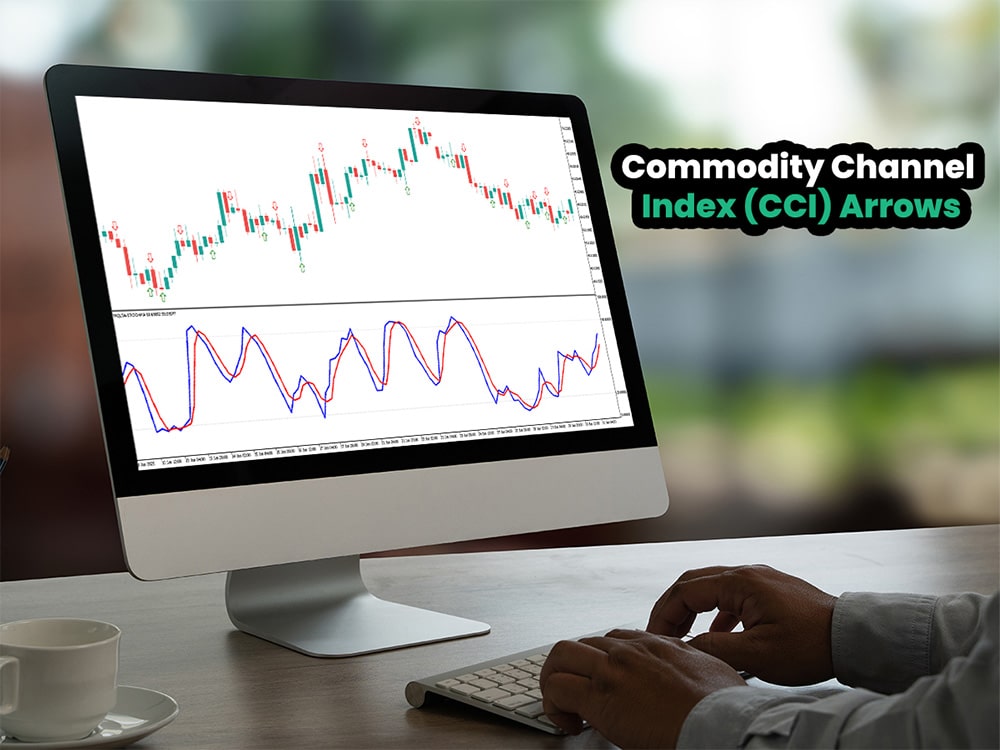
Commodity Channel Index (CCI)
The CCI shows how far price moves from its average. It measures momentum by showing whether price is gaining or losing strength compared to its normal range.
This version of the MT5 indicator adds arrows to your chart. Blue arrows mean "buy." Red ones mean "sell."
Use it to spot reversals or confirm trends. When the CCI crosses the zero line, it's often a sign that momentum is changing. If it crosses upward, buyers may be stepping in. If it crosses downward, sellers might be gaining control. It won't catch every move, but it gives you a heads-up when pressure starts to shift.
This tool works best in markets with strong swings, where price moves sharply and doesn't stall. For example, during a major news event, a currency pair might spike 100 pips in one direction. CCI can catch that momentum early and help you ride it before it fades. These indicators are widely used beyond MT5 as well, which is why many traders also reference our guide on the best indicator for forex trading.
2. Fractal Adaptive Moving Average (FRAMA) MT5 Indicator

Fractal Adaptive Moving Average (FRAMA)
FRAMA is an MT5 indicator that adjusts based on market volatility. It filters out noise in sideways markets. In trends, it moves quickly.
It’s useful for spotting trend direction and strength. A rising FRAMA suggests buyers are in control and the move could last. A falling one points to growing sell pressure. For example, on the EUR/USD, if FRAMA begins rising after price bounces off a support level near 1.0700, it could signal the start of an uptrend. That’s a spot to look for a long setup, especially if volume supports the move.
It’s smoother than other moving averages, which helps you stay in trades longer without second-guessing every small move. Moreover, FRAMA adjusts based on market volatility. It filters out noise in sideways markets. In trends, it moves quickly. in short It’s useful for spotting trend direction and strength. A rising FRAMA suggests buying. A falling one suggests selling.
Quick Recap of Market Facilitation Index (MFI) MT5 Indicator:
- Measures price movement strength based on volume activity
- Helps confirm momentum behind market moves
- Warns of weak rallies or drops lacking volume support
- Useful for spotting false breakouts or short-lived moves
- Keeps you alert to shifts in buyer/seller pressure
3. Market Facilitation Index (MFI)

Market Facilitation Index (MFI)
MFI looks at how price moves with volume. It helps you understand momentum by showing how much force is behind a move. If price climbs and MFI rises with volume, it signals strong buying interest. If MFI drops while price rises, the move might lack strength and could reverse. For example, if EUR/USD is pushing higher but MFI stays flat, that rally might not last.
A rising MFI with strong volume means buyers or sellers are serious about the move—they’re backing it with real money. It shows that the price action isn’t just noise. A falling MFI, especially after a sharp move, warns that the strength behind it is fading. For instance, if EUR/USD jumps on news but MFI drops right after, that could signal a false breakout or a short-lived rally.
This MT5 indicator helps you avoid fading moves and alerts you to shifts in power. If you're new to the platform or want a refresher on the basics, check out our blog post on what is MT5. It’s a quick, clear breakdown of how MetaTrader 5 works and why so many traders use it.
4. Half Trend Buy and Sell

Half Trend Buy and Sell
This MT5 indicator gives simple, color-coded signals based on moving averages. It reacts when price crosses the average, signaling a possible change in direction. You don’t need to interpret complex data—just follow the line. It’s especially helpful in trending markets where you want clear entry or exit points without second-guessing. For instance, if EUR/USD breaks above the blue line after a steady climb, it can confirm a long trade with minimal delay.
If price moves above the line, you’ll see a blue trend. That’s a buy signal because it means price is breaking above its recent average. It often shows that buyers are gaining control. For example, if EUR/USD closes above the blue line after drifting sideways, that move could hint at a breakout worth watching.
If it moves below, the line turns red. That’s a sell signal, meaning price is falling below its recent average. It usually points to sellers gaining control. For example, if USD/JPY breaks below the red line after hitting resistance near 156.50, it could confirm a short trade setup. That shift tells you the market may start leaning bearish, giving you a solid reason to look for selling opportunities.
This MT5 indicator is clean and easy to read. Great for beginners and trend traders. And if you want a place to test this setup with solid execution and tight spreads, Dominion Options is a smart choice. It’s built for traders who want speed and control without the fluff.
5. Volume Profile
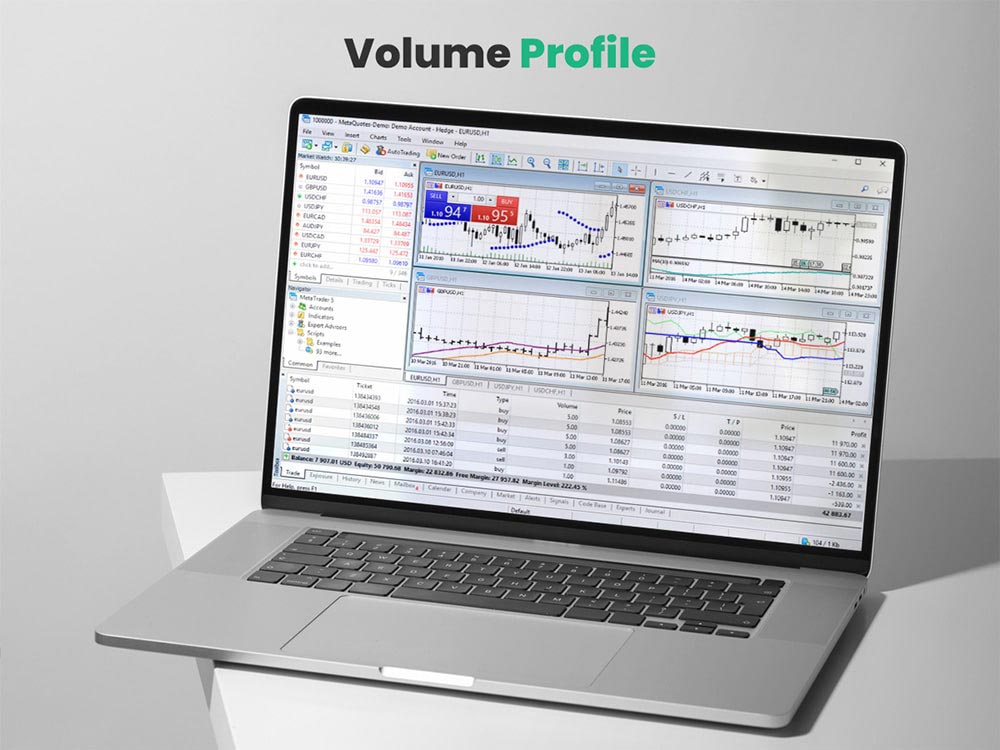
Volume Profile
Volume Profile shows where trading happens most. It plots volume at price, not over time. This helps you see which price levels attract the most activity.
Thick bars mean strong interest. These zones often act as support or resistance, because that’s where buyers and sellers show up again and again.
Use this to find high-traffic areas and plan your trades around them. These levels give you structure. You can set tighter stops or aim for better entries.
For example, if XAU/USD builds a thick volume zone around 2,320, and price returns to that level after a pullback, it's likely to react. That could be a spot to enter a buy trade, especially if momentum lines up.
It helps you trade where it matters, not where it’s quiet and choppy. Those quiet zones often lead to indecision and false signals. But when you focus on high-volume levels, like where Gold/USD has been tested repeatedly, you trade with purpose. You’re not guessing—you’re responding to areas where real money has moved.
Quick Take on Volume Profile MT5 Indicator:
- Shows volume at each price level, not just across time
- Helps identify price zones with high trading activity
- Highlights support and resistance based on real order flow
- Lets you plan entries and exits with more accuracy
- Helps avoid low-volume areas that often cause fake moves
6. Supertrend
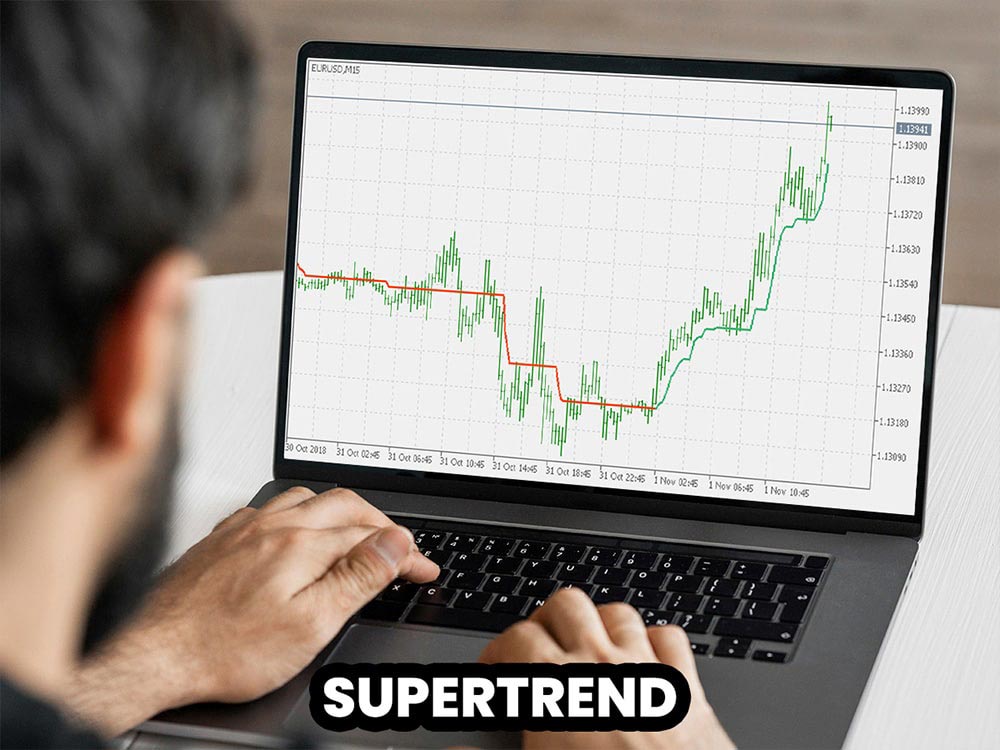
Supertrend
The Supertrend uses volatility to draw a trend line above or below price. It reacts to real-time market moves using average true range (ATR) to adapt the line dynamically.
If price is above the line, it’s an uptrend. The line turns green and trails price from below. If price drops below the line, it switches to red and flips above the price—marking a downtrend.
Use it to trail your stop-loss or stay in a trend longer without overreacting to small pullbacks. It helps keep you in the move until the market truly shifts.
For example, if XAU/USD breaks above $2,300 and the supertrend indicator flips green, that could confirm the start of a bullish move. You could stay in the trade as long as price holds above the green line, adjusting your stop just below it.
It’s reliable and simple. Many traders love it for its clarity and for reducing noise when managing trades. And if you’re interested in practicing strategies with this MT5 indicator before going live, take a look at our article on the MT5 simulator to see how you can train efficiently without risk.
7. CurrentRatio by FXSSI

CurrentRatio by FXSSI
This shows the ratio of buyers to sellers from different brokers. It's updated in real time, so you can see what the crowd is doing right now.
When too many traders are on one side, it often means the move is overdone. Markets tend to move against the majority.
Use this MT5 indicator to fade crowded trades and avoid herd behavior. For example, if 80% of traders are long on EUR/USD near a recent high, that’s a red flag. You might start watching for signs of a reversal instead of jumping in late with the crowd.
8. OrderBook by FXSSI
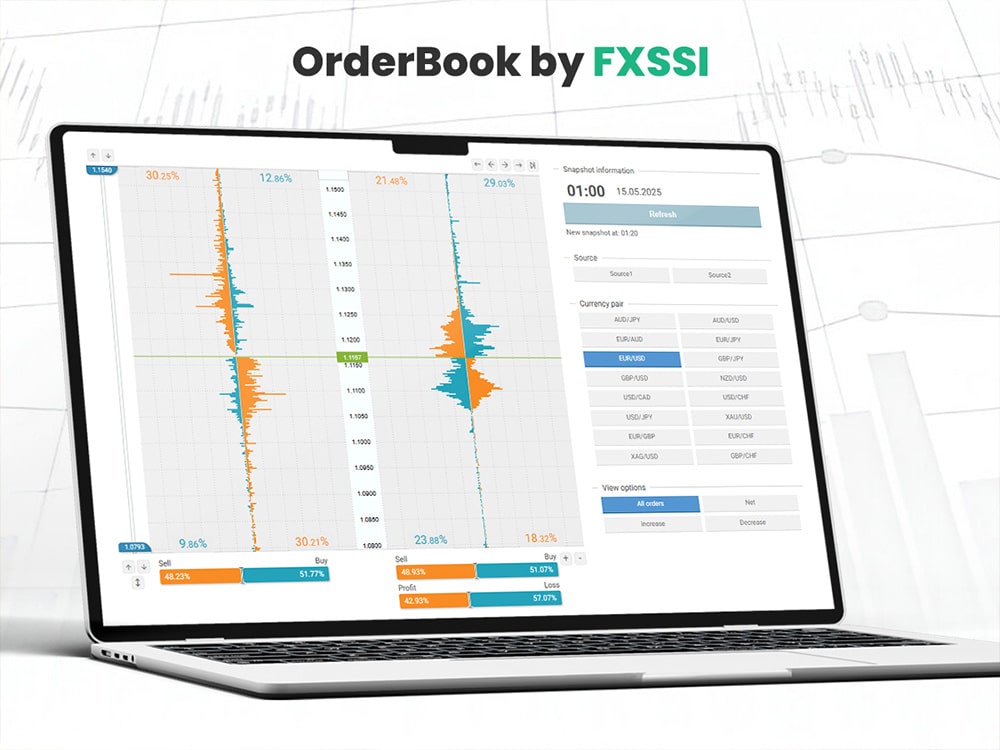
OrderBook by FXSSI
This MT5 indicator shows pending orders and open positions from other traders. It gives you clues about where price might stall or break.
Clusters of orders near the current price often act as support or resistance. They reveal levels where the market expects something to happen.
Use this to time your entries and exits better. You can avoid entering right into heavy order flow or take advantage of it.
For example, if USD/JPY is approaching 157.00 and the OrderBook shows a large block of pending sell orders there, it may struggle to break through. That level becomes a potential short entry, especially if momentum slows as price nears it.
It’s like seeing what other traders are planning—before the move happens. In MetaTrader 5, this MT5 indicator integrates seamlessly with live sentiment feeds and real-time data updates, making it more responsive and accurate than in MT4. While MT4 still supports similar tools, MT5 offers greater depth-of-market data and faster processing, giving you a clearer edge when reading order flow. If you're not sure which platform fits your needs best, check out our guide on MT5 vs MT4 for a clear breakdown of the differences.
9. StopLossClusters by FXSSI
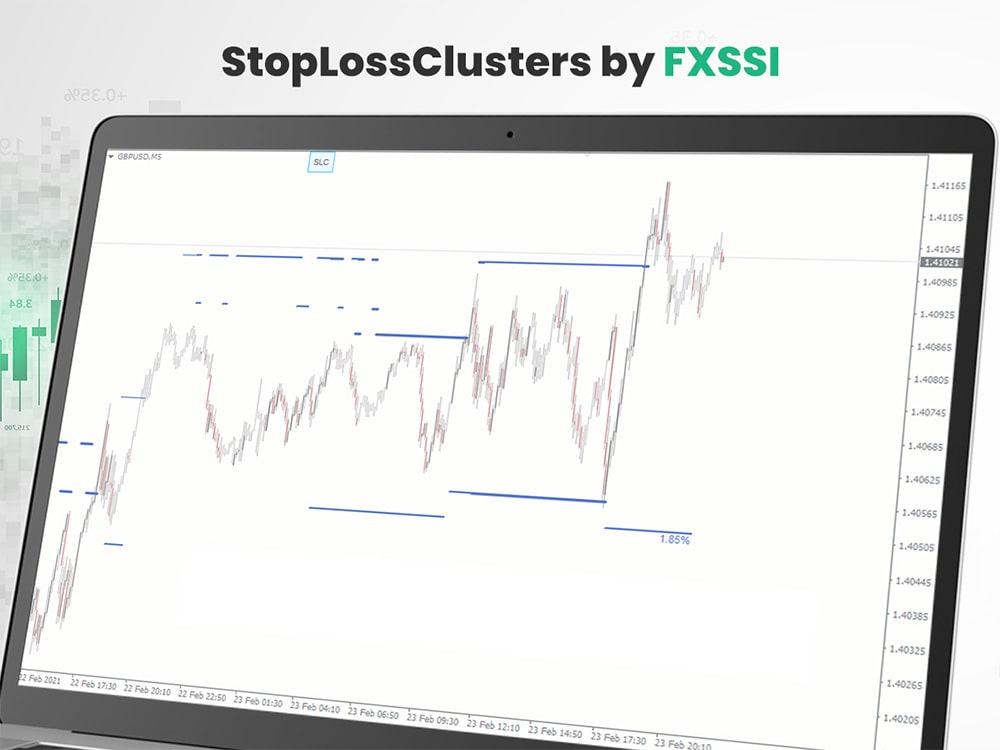
StopLossClusters by FXSSI
Many retail traders place stops in the same areas—right below support, above resistance, or around round numbers. This MT5 indicator finds those zones so you can see where the bulk of stops are sitting.
These areas often attract price like magnets. Smart traders know that big players might push price into these zones to trigger stops before reversing.
Use this to avoid placing your stop where everyone else does. Instead of parking your stop just below 1.0800 on EUR/USD, consider giving it more space if that zone is crowded.
Or use it to trade toward those levels, if you think a stop hunt is coming. For instance, if you see a big cluster of stops just below recent lows on USD/JPY, and price starts to press down with low momentum, that might be your setup for a fake break and a quick reversal back up.
Quick Summary of StopLossClusters Indicator:
- Detects popular stop-loss zones where retail traders often cluster
- Highlights areas that can trigger stop hunts or fake breakouts
- Helps you avoid placing stops where price is likely to sweep
- Useful for spotting potential reversal or acceleration zones
- Lets you position smarter and manage risk more cleanly
10. LifeHack Balance Equity
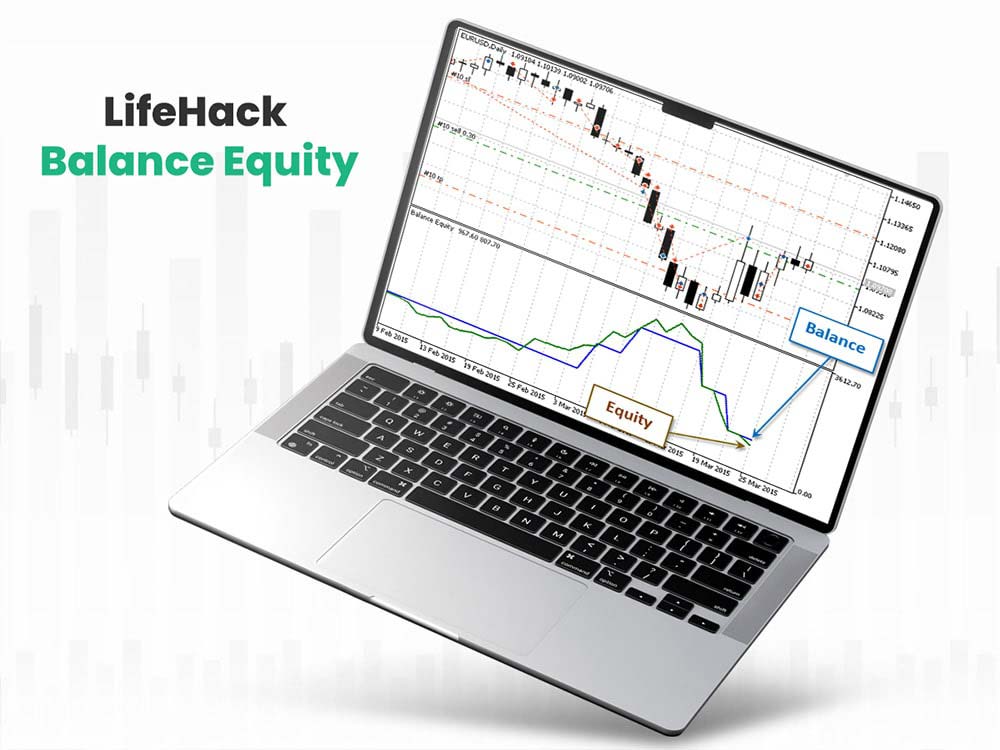
LifeHack Balance Equity
This plots your balance and equity on the chart. It doesn’t give you trade entries, but it shows you how your account is doing.
If your equity dips far below your balance, that’s a drawdown—and a sign something’s off. Maybe you’re holding losing trades too long, or risking too much per position.
Use it to track how your decisions affect your account in real time. It’s like a health monitor for your trading.
For example, if you're trading Gold/USD and catch a solid move up, you’ll see equity rise with it. If that trade reverses and equity sinks but balance holds, you’ll know exactly where the damage is happening. It keeps you honest and helps you adjust quickly.
11. Indicator Arrows II
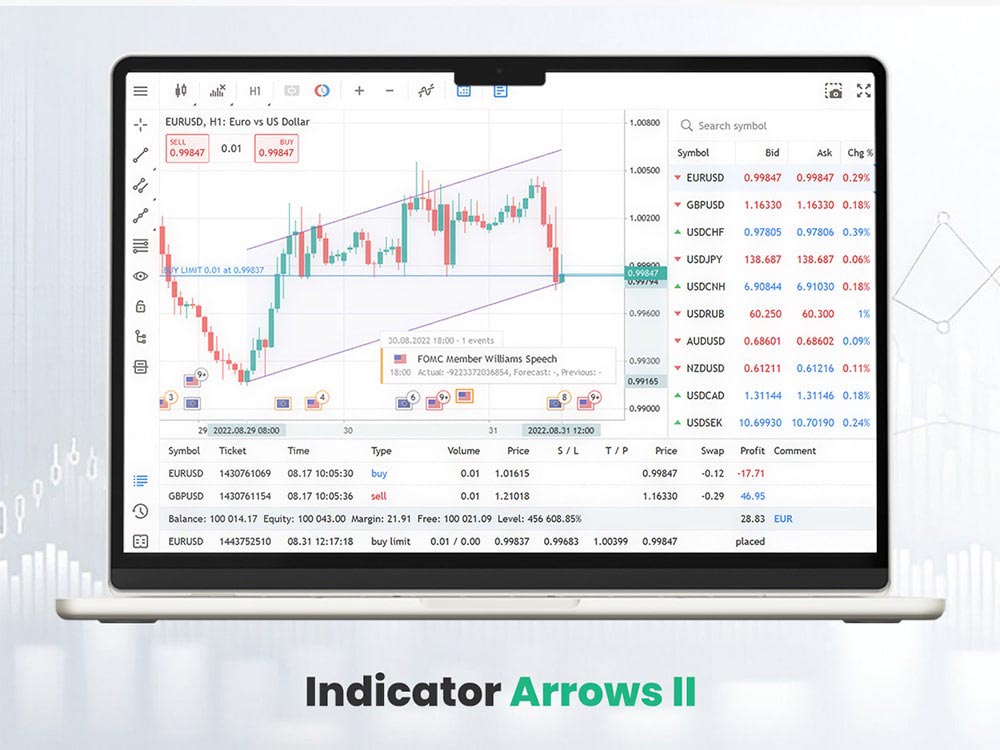
Indicator Arrows II
This plots arrows based on various MT5 indicators: RSI, MACD, Moving Averages. You can see all the signals in one glance without juggling multiple charts.
It helps you get multiple confirmations in one place. That saves time and builds confidence when the signals align.
If arrows agree, the signal is strong. If not, wait or reduce your trade size.
For example, if Gold/USD is trending up and this MT5 indicator flashes multiple green arrows, that’s a solid cue to go long. But if the arrows are mixed or late, it’s better to hold off.
It saves screen space and keeps charts clean, which helps you focus on what matters.
Key Benefits of the Indicator Arrows II MT5 Indicator:
- Combines multiple signals (RSI, MACD, Moving Averages)
- Makes it easy to spot agreement across indicators
- Reduces the need to check separate charts
- Keeps your screen clean and focused
- Saves time when confirming trade setups
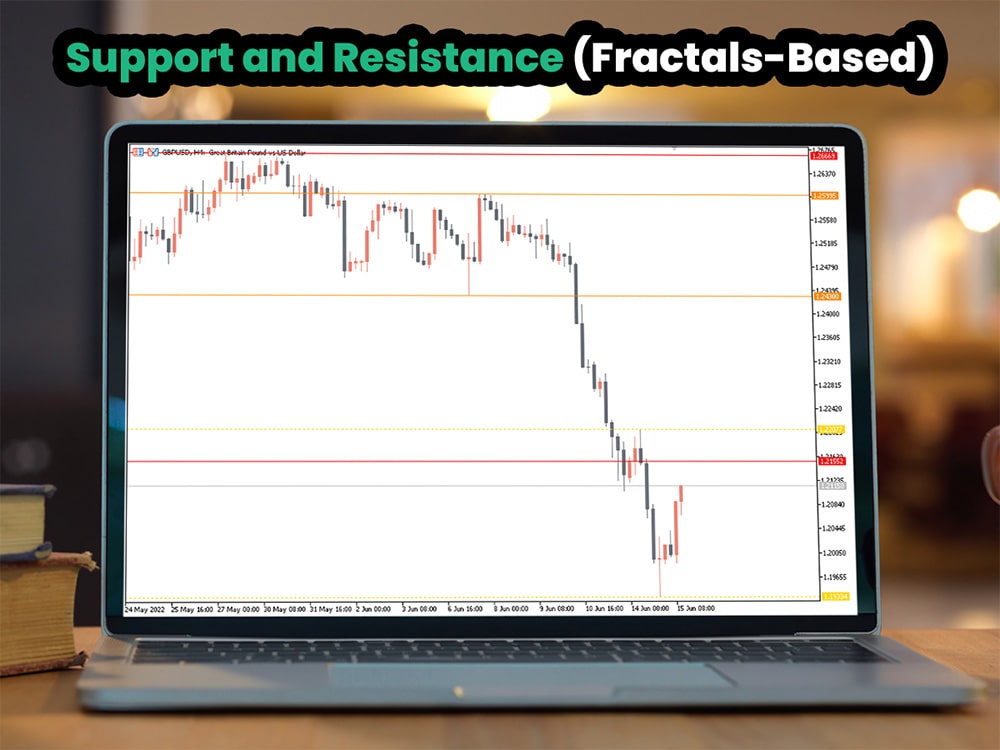
12. Support and Resistance (Fractals-Based)
Support and Resistance (Fractals-Based)
This plots key support and resistance using fractals. It marks recent turning points in price, giving you clean, logical levels to work with.
You don’t need to draw levels manually. This MT5 indicator updates as price changes, so you always have fresh zones on your chart.
Use it to plan targets, stops, and re-entry zones. These levels often align with where price pauses or reverses.
For example, if you're trading EUR/USD and the fractal indicator marks support near 1.0850, and price pulls back after a rally, that level becomes a solid area to watch for a bounce. It gives you a simple framework to trade with structure instead of guessing.
It’s a smart MT5 indicator for traders who value structure and want clear, visual guidance.
Quick Recap of Support and Resistance Indicator Features:
- Identifies clean support and resistance levels using fractals
- Automatically updates as price changes
- Helps structure your trades with clear zones
- Removes guesswork when setting targets or stops
- Ideal for traders who want clean, simple chart guidance
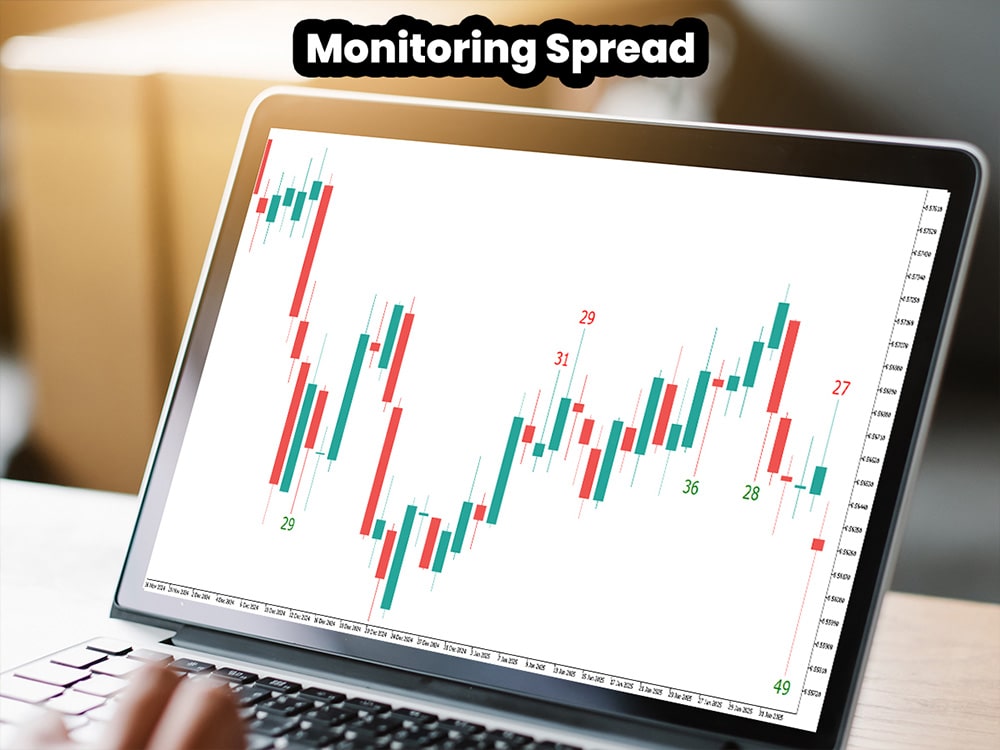
13. Monitoring Spread
Monitoring Spread
This MT5 indicator shows the spread over time as a graph. You can see when spreads are tight and when they widen.
Spreads rise during news or low-volume periods. That makes entering and exiting trades more expensive and less predictable.
Use this to avoid trading during wide spreads. It helps you spot when conditions are ideal to trade and when it's better to wait.
You’ll keep costs lower, avoid slippage, and get cleaner fills when you stick to tighter spreads. If you're using the best forex broker like Dominion Options, you’ll see the difference—they’re known for consistent, tight spreads even during high volatility.
How to Use MT5 Indicators Wisely
Don’t use all the MT5 indicators at once. Pick two or three that match your style and trading pace. More tools don’t mean better results—they often lead to confusion.
Test them on a demo account first. Watch how they behave in real trades without risking money. See which ones fit your flow and help you make clearer decisions.
Try combining one trend tool with one signal tool. Then add a volume or sentiment MT5 indicator to see the bigger picture.
Always keep your chart clean. Too much clutter slows you down and adds noise. You want clarity, not chaos.
Remember: MT5 indicators are there to guide you, not make the call for you. Your trading strategy and risk control still come first. However, if you're unsure how to combine those elements effectively, our guide on how to use MetaTrader 5 for beginners can help you get started the right way.
Final Thoughts
The right MT5 indicator makes tough calls easier. It keeps you on the right side of the market and helps cut out the noise.
Start with simple MT5 indicators. Get to know them well. As your skill grows, layer in more advanced ones that support your style. Many of these MT5 indicators can also be adapted for commodity markets like gold - for setups focused on XAU/USD, see our guide on the best gold trading indicators.
All these MT5 indicators are free or easy to set up. Most don’t need much time to learn. You’ll get more out of them the more you use them.
Use them to level up your trading, reduce mistakes, and stay focused when the market gets noisy.
Trade smart. Let the MT5 indicator do the heavy lifting. And when you’re ready to put them to use in real trades, Dominion Options gives you the right setup—tight spreads, high leverage, fast execution, and a trading platform built for traders.